
One platform from first draft to verified certificate
Build the course, run the exam, issue the certificate and answer the auditor from the same system. Host it with us or on your own servers.
- Cloud or self-hosted
- Proctoring built in
- SCORM, xAPI, cmi5, LTI 1.3
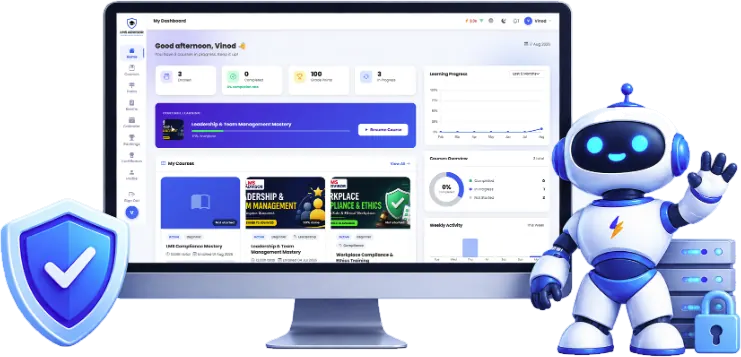
Replace the stack you are holding together
Most training teams we meet run five or six tools that do not talk to each other. Every audit means exporting from each one and hoping the names match.
What teams usually juggle
- Authoring toolSeparate license, separate logins
- LMS or WordPress pluginPlus add-ons to keep updated
- Proctoring vendorBilled per exam attempt
- Certificate pluginNo expiry, no public check
- Learning record storeAnother system for xAPI data
- Spreadsheets for auditsRebuilt every time someone asks
With LMS Advisor
- Authoring, delivery and exams in one loginKeep your authoring tool if you like: its packages upload as lessons
- Proctoring is a setting, not a vendorConfigured per exam, with an evidence trail for disputes
- Certificates with expiry and a public checkRenewals and reminders run on their own
- One record of who learned whatFilter, export to CSV, Excel or PDF, or pull it over the API
- Hosted by us or on your serverSame product either way
Build courses without a second tool
Write lessons in a block editor, record a screen demo in the browser, add questions inside a video, or upload the SCORM, xAPI and cmi5 packages you already paid for. AI drafts the first version when you are starting from a policy document.
- Course builder with gating
- Interactive module builder
- Questions at a timestamp
- Rewind on a wrong answer
- Course and lesson drafting
- Rewrite tools in the editor
Get it in front of the right people
Group courses into learning paths, release lessons on a schedule, run live sessions over Zoom or Google Meet, and let people learn from an app they install from the browser.
- Ordered paths
- One-click enrollment
- Zoom meetings created for you
- Google Meet links
- Install from the browser
- Your name, icon and colors
Test properly, with proctoring built in
Thirteen question types, coding included, and a separate candidate portal for exams. Webcam snapshots, face checks, fullscreen lockdown and ID capture are settings on the exam, not a second contract.
- 13 question types
- Central question bank
- Coding questions
- ID photo, webcam and face checks
- Fullscreen lockdown
- Screen and hardware checks
Certificates that expire and can be verified
Design the certificate once, issue it on a pass, set a validity period for courses that need renewing and give anyone a public link to check it. Assign mandatory courses with due dates and see who is overdue.
- Certificate Designer
- Automatic issue
- Validity and renewal
- Course and learner results
- Learner Analytics
- Executive Reports
Fits your identity, data and hosting rules
SAML single sign-on, SCIM provisioning, passkeys and two-factor sign-in. Branches and client organizations with their own managers. A REST API and webhooks for everything else, on our cloud or your server.
- Branches
- Client organizations
- Cloud or self-hosted
- SAML 2.0 single sign-on
- SCORM 1.2 and 2004
- xAPI with a built-in LRS
Want to see your own course running in it?
Bring a SCORM package or a Moodle backup to the call and we can try the import together.
Three ways teams get started
Start small in our cloud
For training teams and course businesses that want to launch this month. We host, update and back it up.
Start free trialRoll out across the company
For HR, L&D and IT teams that need SSO, SCIM, branches, compliance evidence or self-hosting. Security answers included.
Book a demoRun certification exams
For certification bodies and hiring teams. Candidates sit proctored exams from their own portal, no course needed.
Plan a pilot examCloud or self-hosted, your call
LMS Advisor Cloud
We host, update and back up the platform. The quickest way to launch.
- Managed hosting and updates
- Every platform feature
- SSO, SCIM and two-factor sign-in
Self-hosted
Install on your own PHP and MySQL servers and keep every record on your infrastructure.
- In-app migrations with backups
- System health and storage tools
- Your retention rules, your data
See how we compare, honestly
Side-by-side pages with dated, sourced facts, including where the other product is the better pick.
All comparisonsHow the pieces fit together
Everything in LMS Advisor hangs off four things: people, courses, exams and certificates. People sit in organizations, branches and groups, which decide what they can see and who manages them. Courses are built from sections and ordered lessons. Exams live in the separate Test Center and draw from a shared question bank. Certificates are issued automatically when a course is completed or an exam is passed, and each one has a public verification page.
Because all of this shares one database, a manager can see a learner’s course progress, their exam attempt and the certificate that followed in one place, with no export from one tool and import into another.
Courses and lessons
A lesson can be a video, audio, a PDF or document, rich text, an embed, a live session on Zoom or Google Meet, a SCORM, xAPI or cmi5 package, an interactive module, a quiz or an assignment. Interactive modules are assembled from blocks such as accordions, tabs, flip cards, drag-and-drop and scored knowledge checks, and any block can be marked required before the learner moves on. Interactive video adds timestamped questions and can send a learner back when they answer wrong. Drip scheduling, sequential progression and a minimum time per lesson control the pace.
Exams and proctoring
The Test Center runs exams for people who never enroll in a course: job applicants, certification candidates, students sitting a final. It supports 13 question types, including coding questions that run submitted code against test drivers, and question pools with difficulty levels and negative marking. Proctoring is chosen per exam, from a simple honesty pledge up to webcam snapshots, AI face checks, fullscreen lockdown, device lock and consented microphone monitoring. The evidence stays attached to the attempt for reviews and appeals.
AI across the platform
AI is optional and uses an Anthropic or OpenAI API key you connect. It drafts courses and lessons, rewrites text, generates and audits questions, suggests rubric grades, powers a branded AI Tutor inside lessons and answers admin reporting questions. Drafts wait for a person to approve them.
Deployment options
The cloud is the quicker start: we run the servers, apply updates and take backups. Self-hosting suits organizations with data residency rules, an existing hosting contract or an IT team that wants the database on its own network. The application is plain PHP and MySQL, so it runs on a VPS or a well-specified cPanel account, and the admin area handles database migrations, backups, storage checks and a built-in security scanner.
Who it is for
- Employers running onboarding and required training across branches, with SSO, SCIM and manager views.
- Training providers delivering programs to client organizations and selling public courses through WooCommerce.
- Certification bodies and assessment teams that need proctored exams, question pools and certificates anyone can check.
- Software companies running customer and partner academies behind their own product login.
What it does not do
Better you hear this now than halfway through a rollout.
- No built-in checkout, coupons or subscriptions. Selling goes through WooCommerce.
- No native App Store or Play Store apps. Learners install a Progressive Web App from the browser.
- No offline learning. Lessons need a connection.
- No off-the-shelf course library. You bring or build the content.
- No drag-and-drop report builder. Reports are filterable views with CSV, Excel and PDF export, and the REST API and webhooks feed your BI tools.
- No AICC or H5P, and LTI runs one way only: LMS Advisor is the tool another LMS launches, not an LMS that launches other tools.
If any of these is a hard requirement, tell us early and we will say plainly whether there is a workable route.
Platform questions
Is LMS Advisor a cloud product or self-hosted?
Who is it built for?
Can it take payments?
Do candidates need a course enrollment to sit an exam?
Does it come with ready-made courses?
What skills does our team need to run it?
See the whole platform in one call
Tell us who you train and what you need to prove. We’ll build the walkthrough around those programs.
- A walkthrough built around your programs
- Security and hosting questions answered
- Reply within one business day