Training matrix template: required courses, expiry dates and color codes
A training matrix tells you who is current, who is due and who has lapsed on required training. Here is an editable template with expiry dates and OSHA refresh intervals for three industries.

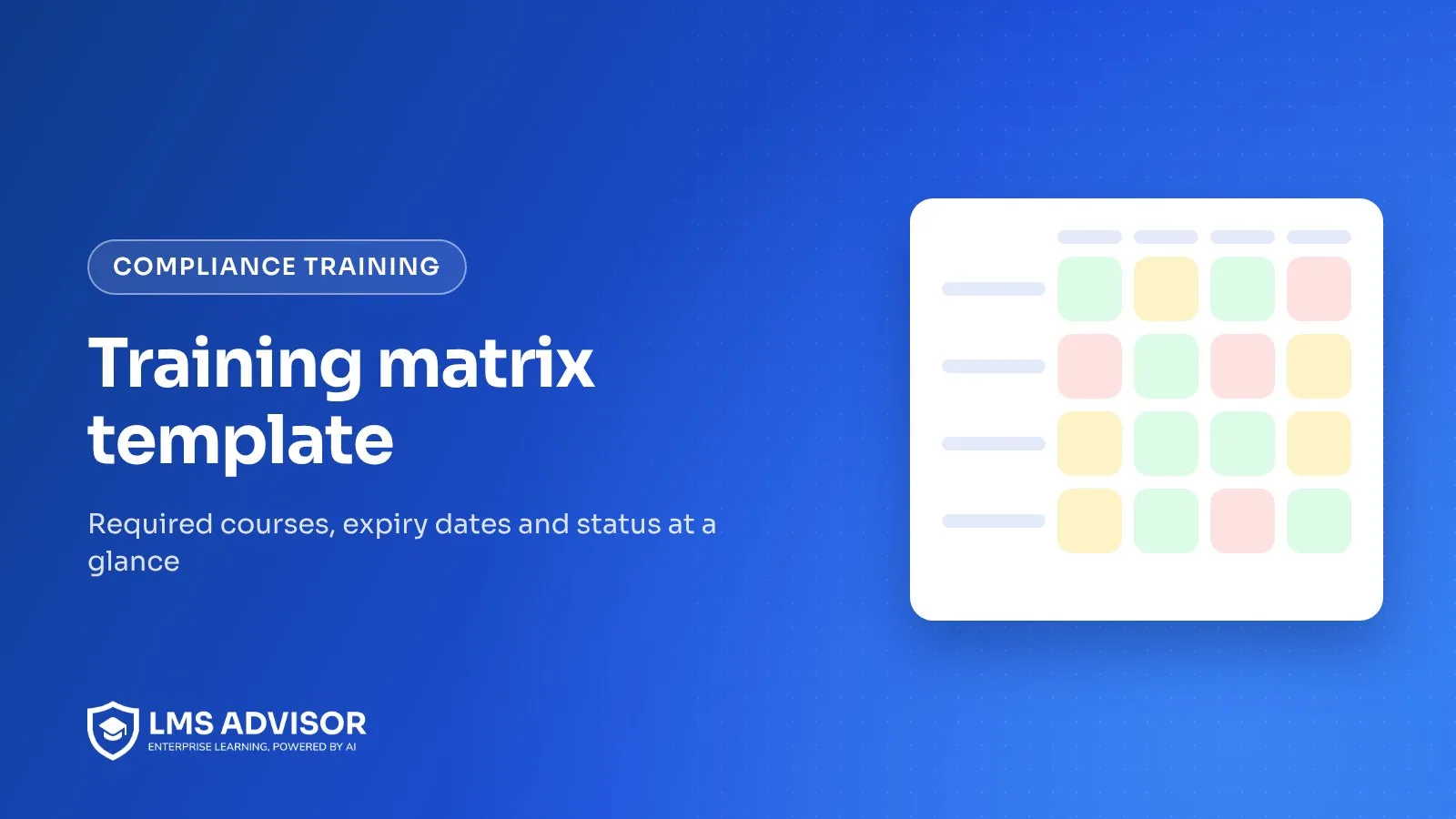
A training matrix template is a grid of roles or people against the courses each role must complete, where every cell holds the date that person's training expires. Sort by color and you know in seconds who is current, who falls due in the next 30 days and who is already overdue.
Below you will find an editable template with expiry dates, a setup checklist, and role examples for construction, healthcare and manufacturing with refresh intervals we checked in October 2026 against the regulation text on eCFR and osha.gov. We also show how to run the same matrix in LMS Advisor, our own product, using expiring course certificates, auto-enrollment rules and exportable reports, and we are plain about what it will not do for you.
What is a training matrix?
A training matrix is a record of required training: which courses each role needs, when each person last completed them and when each one has to be repeated. Its job is to prove compliance and catch lapses before an inspector, auditor or client does.
It is easy to confuse with a skills matrix, and the two are built for different questions. A skills matrix rates how well someone can do a task on a 0 to 4 scale. A training matrix records whether a mandatory course was completed and whether it is still in date. A forklift operator can be a skilled driver and still be out of compliance because the three-year evaluation lapsed.
| Training matrix | Skills matrix | |
|---|---|---|
| Question it answers | Has this person done the required training, and is it still valid? | How well can this person perform this task? |
| Cell value | A completion or expiry date, or n/a | A proficiency rating, such as 0 to 4 |
| Driven by | Regulations, client contracts, accreditation and company policy | The work the team needs done |
| Changes when | A course is completed or a certificate expires | Someone is observed at a new level |
| Usual owner | Safety, compliance or HR | Team leads and L&D |
What goes in a training matrix?
At minimum you need the person, their role and, for each required course, the expiry date. A matrix you can defend in an audit carries a little more behind each cell.
- Role or job title. Requirements follow the work, so map courses to roles first and people second.
- Course name and the rule behind it. Write the citation (for example 29 CFR 1910.1030) or the internal policy number next to the course, so nobody deletes a column they think is optional.
- Refresh interval. Annual, every three years, on assignment only, or event-driven.
- Completion date and expiry date. The expiry date drives the color. The completion date is what the regulation usually asks you to prove.
- Record type. Some standards want a certification with specific fields, some a practical evaluation, some only a dated roster.
How long to keep the old records is its own question. Our training records retention requirements table lists the US rules that set a period.
Training matrix template with expiry dates
This sample mixes roles from three industries so you can see how one grid handles very different requirements. Replace the people and courses with your own, then download the grid as a CSV.
Training matrix template (expiry dates)
Type an expiry date in YYYY-MM-DD format, or n/a where a course does not apply to that role, then download the grid as a CSV for Excel or Google Sheets.
| Person and role | Forklift evaluation (3 years) | Bloodborne pathogens (annual) | Respirator fit test (annual) | Lockout/tagout refresher (annual policy) | Fall protection refresher (annual policy) | BLS card (2 years) |
|---|---|---|---|---|---|---|
| J. Ortiz, warehouse forklift operator | 2028-09-14 | n/a | n/a | n/a | n/a | n/a |
| K. Patel, maintenance technician | 2029-02-02 | n/a | 2025-09-30 | 2026-12-18 | 2027-06-30 | n/a |
| R. Chen, med-surg nurse | n/a | 2027-03-10 | 2025-11-05 | n/a | n/a | 2028-02-11 |
| L. Brooks, site carpenter | 2028-06-19 | n/a | n/a | n/a | 2025-08-15 | n/a |
| S. Ahmed, line operator | 2025-07-01 | n/a | n/a | 2027-10-28 | n/a | n/a |
Each cell holds the date the training expires (YYYY-MM-DD), or n/a when the course does not apply to that role. Colors are worked out against today's date: red means expired, amber means it expires within the next 30 days, and green means current for more than 30 days, so the example colors shift depending on the day you open this page. Training required only on assignment or after an event, such as HazCom, has no expiry date and belongs in a separate column of completion dates.
How do you build a training matrix, step by step?
Build it from the requirements outward, not from the courses you already happen to run. The order below keeps you from tracking training nobody needs and missing training somebody does.
- List every role or job title. Use the titles from your HR system so the matrix and your people data agree.
- List the tasks and exposures for each role. Driving a forklift, contact with blood, wearing a tight-fitting respirator, servicing machines, working at height.
- Find the rule behind each exposure. Open the regulation itself (eCFR or osha.gov) and note the paragraph that sets the training and the interval. Add client, insurer and accreditation requirements too.
- Write down the interval and the record type. Separate fixed intervals (annual, three years) from event triggers (new assignment, new equipment, an unsafe act).
- Decide your company policy on top of the minimum. Where a rule is event-driven, you may still want an annual refresher. Mark these as policy so nobody mistakes them for a legal deadline.
- Load completion and expiry dates. Pull them from sign-in sheets, certificates and your LMS. Where you cannot find proof, leave the cell empty and treat it as overdue.
- Apply color rules. Expired, due within 30 days, current. Decide who looks at the amber list each week.
- Assign an owner per column. One person answers for bloodborne pathogens, another for forklift evaluations.
- Review monthly, and on every hire, transfer and exit.
Training matrix examples by industry
These are the requirements we would start with for common roles. Each interval below comes from the regulation or the issuing body, linked inline. Your state plan, your insurer or a client contract can add more.
Construction
| Course | Who needs it | Refresh interval | Source |
|---|---|---|---|
| Fall protection | Each employee who might be exposed to fall hazards | No fixed interval. Retrain when the workplace or equipment changes or the worker shows a gap. Keep the latest written certification record. | 29 CFR 1926.503 |
| Forklift (powered industrial truck) operator | Each operator on site | Performance evaluation at least once every three years, plus refresher training after unsafe operation, an accident or near miss, a new truck type, a failed evaluation or a workplace change | 1926.602(d), which adopts 1910.178(l) |
| Crane operator certification | Operators of covered cranes and derricks | Certification valid for 5 years | 1926.1427(d)(4) |
| Hazard communication | Workers exposed to hazardous chemicals | At initial assignment and when a new chemical hazard is introduced. No fixed renewal. | 1910.1200(h)(1), applied to construction by 1926.59 |
Our OSHA construction training requirements post lists the other Part 1926 standards and the proof each one expects.
Healthcare
| Course | Who needs it | Refresh interval | Source |
|---|---|---|---|
| Bloodborne pathogens | Employees with occupational exposure | At initial assignment and at least annually, within one year of the previous training. Training records kept for 3 years. | 29 CFR 1910.1030(g)(2) and (h)(2) |
| Respirator fit test | Staff who wear tight-fitting respirators such as N95s | Before first use, when the facepiece changes and at least annually. Medical evaluation comes before the first fit test. | 1910.134(e)(1) and (f)(2) |
| Respirator training | The same staff | Annually, and when workplace or respirator changes make earlier training obsolete or the worker shows gaps in knowledge or use | 1910.134(k)(5) |
| Basic Life Support (BLS) | Clinical staff, as set by employer policy | The American Heart Association course completion card is valid for two years | AHA BLS course page |
| Hazard communication | Staff who handle hazardous chemicals, such as disinfectants | On initial assignment and when a new hazard arrives | 1910.1200(h)(1) |
BLS is an employer and accreditation requirement rather than an OSHA rule, so mark it as policy in your matrix. If you also run annual competency checks for nurses, those belong in a separate record, which we cover in our post on Joint Commission competency assessment.
Manufacturing
| Course | Who needs it | Refresh interval | Source |
|---|---|---|---|
| Forklift operator training and evaluation | Every powered industrial truck operator | Evaluation at least once every three years. The certification names the operator, the training date, the evaluation date and who trained and evaluated. | 29 CFR 1910.178(l)(4)(iii) and (l)(6) |
| Lockout/tagout (control of hazardous energy) | Authorized and affected employees | Retraining when job assignments change, when new machines, equipment or processes bring a new hazard, when the procedure changes, or when an inspection shows gaps. Certification with each employee's name and training dates. | 1910.147(c)(7)(iii) and (iv) |
| Hazard communication | Workers exposed to hazardous chemicals | At the time of initial assignment and when a new chemical hazard is introduced | 1910.1200(h)(1) |
| Respirator fit test and training | Workers in jobs that require a respirator | Fit test and retraining at least annually | 1910.134(f)(2) and (k)(5) |
Lockout/tagout has no fixed retraining cycle in the standard. What it does fix at "at least annually" is the periodic inspection of each energy control procedure under 1910.147(c)(6)(i). Scheduling a refresher alongside that inspection is a simple habit, which is why our template shows it as an annual policy column. The forklift certification fields are broken down in our post on forklift training records.
How should you color code a training matrix?
Use three colors tied to the expiry date: red for expired, amber for due within 30 days, green for current. Anything more elaborate tends to get ignored.
| Color | Rule | Action |
|---|---|---|
| Red (expired) | Expiry date is before today, or there is no record at all | Take the person off the task if the training is required for it, then assign the course today. |
| Amber (due soon) | Expiry date falls within the next 30 days | Schedule the refresher or evaluation now. Classroom and practical sessions need lead time. |
| Green (current) | Expiry date is more than 30 days away | Nothing to do. |
| Gray | n/a for this role, or event-driven with no expiry | Check event triggers in your incident and change logs instead. |
A 30-day window suits online courses. For practical evaluations that need an evaluator on site, such as forklift driving checks, consider a 60-day warning in your own spreadsheet. Treat an empty cell as red, because during an inspection a missing record reads the same as missing training.
Training matrix setup checklist
Training matrix setup checklist
Tick each item as you finish it. Your progress is saved in this browser, and you can print the list for a team meeting.
Requirements
- Export the current list of job titles and departments from your HR system
- List the tasks and exposures for each role (vehicles, chemicals, blood, respirators, energized machines, heights)
- Open the regulation for each exposure and note the paragraph, the interval and the record it requires
- Add client, insurer and accreditation requirements, marked as such
- Mark every company refresher policy so it is not mistaken for a legal minimum
Data
- Collect the latest completion date and certificate for every person and course
- Calculate expiry dates from each interval and enter them as YYYY-MM-DD
- Leave cells with no proof empty and count them as overdue
- Keep a separate column of completion dates for on-assignment and event-driven training
Running it
- Apply red, amber and green rules and agree the warning window for practical evaluations
- Name an owner for each course column
- Book a monthly review of the amber and red cells
- Add the matrix check to your hire, transfer and exit steps
- Decide how long old records are kept and where they are stored
How to automate a training matrix in LMS Advisor
A spreadsheet matrix depends on someone typing dates in. LMS Advisor can do most of that bookkeeping, because the dates come from the course and certificate records themselves. Here is what maps to features we have verified.
| Matrix task | How LMS Advisor handles it |
|---|---|
| Expiry dates for annual or three-year courses | Course certificates with a validity in months. A certificate moves to an expiring-soon status in its last 30 days, and the learner renews by retaking the course. |
| Warning before something lapses | An email automation rule for certificates that are about to expire. |
| Right courses for each role | Auto-enrollment rules that match on department, job title, location, employment type, role, email domain or organization, run when people join or change jobs. Job titles can arrive through SCIM or the BambooHR, Zoho People or Keka sync, or a CSV upload for other HR systems. |
| Mandatory courses with a target date | Organization course assignments with due dates and a mandatory flag, plus an overdue report. |
| Classroom sessions and practical evaluations | Live session lessons with attendance taken by hand or by QR check-in from the learner's phone. |
| The matrix view for an auditor | Course and learner reports with CSV, Excel and PDF exports, audit logs, and a public verification page for each certificate. |
The limits, plainly. Deadline reminder emails ahead of assignment due dates stay off until an admin switches them on (the overdue report shows who is late), and renewal by retake applies to course certificates, though exam certificates can carry a validity too. Event-driven retraining, such as forklift refresher training after a near miss, still needs a person to assign the course. The forklift driving evaluation itself happens in the truck, so the LMS records attendance at the session, not the drive. There is no ready-made OSHA course library either. More detail sits on our certificates and compliance feature page and the compliance training solution page, or request a demo and bring your current matrix.
Frequently asked questions
What is a training matrix template?
It is a ready-made grid that lists people or roles against required courses, with the expiry date of each person's training in the cells. Color rules then show what is expired, due soon or current.
What is the difference between a training matrix and a skills matrix?
A training matrix tracks completion and expiry of required courses, while a skills matrix rates how well each person can do a task. The first answers compliance questions and the second answers staffing and development questions.
How often does OSHA require forklift training?
OSHA requires an evaluation of each forklift operator at least once every three years under 29 CFR 1910.178(l)(4)(iii). Refresher training is also required after unsafe operation, an accident or near miss, an evaluation showing unsafe operation, a new truck type or a workplace change.
Is bloodborne pathogens training required every year?
Yes. Under 29 CFR 1910.1030(g)(2), employees with occupational exposure are trained at initial assignment and at least annually, within one year of their previous training.
How often is hazard communication training required?
There is no fixed annual cycle. Under 1910.1200(h)(1), workers are trained at the time of initial assignment and whenever a new chemical hazard they have not been trained on is introduced.
What color coding should a training matrix use?
Red for expired or missing, amber for training that expires within 30 days, and green for current. Use gray for courses that do not apply to a role.
Can LMS Advisor replace a training matrix spreadsheet?
For required courses you run in it, largely yes. Expiring course certificates, auto-enrollment rules, overdue reports and CSV or Excel exports give you the same information from live records instead of typed dates. Event-driven retraining and on-the-floor evaluations still need a person to assign and record them.
Add lmsadvisor.com as a preferred source on Google, or open this article in your AI assistant to use it as a source.

The LMS Advisor team builds and supports an AI-powered platform for learning, exams and compliance.