Skills matrix template: rate your team 0 to 4 and close the gaps
A skills matrix shows who can do what, where one absence would stall the work and which gaps to train first. Here is an editable template with a 0 to 4 scale and examples for three teams.

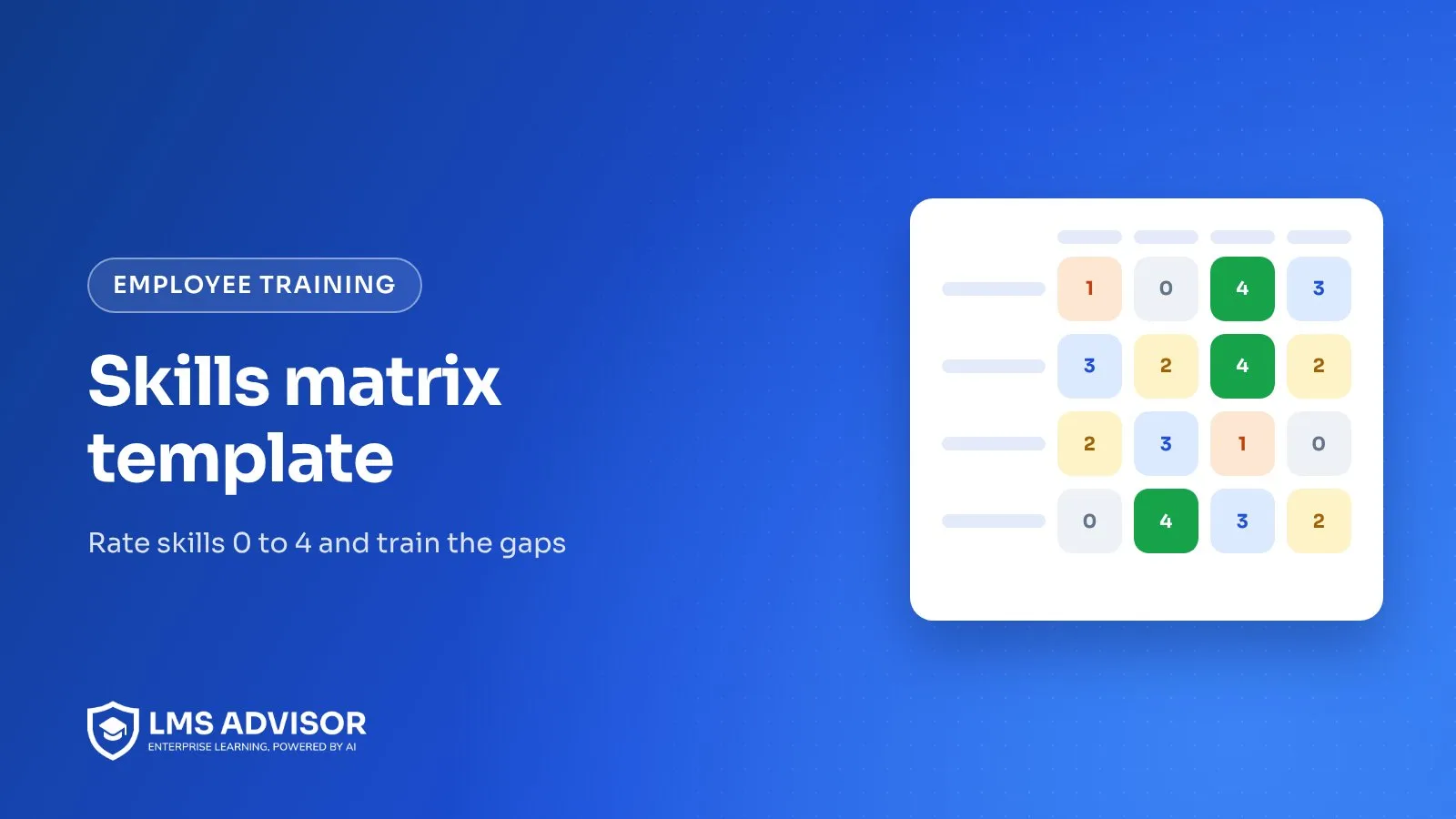
A skills matrix template is a grid with people in the rows, skills in the columns and a proficiency rating from 0 to 4 in every cell. Read across a row to see what one person can do, read down a column to see how many people can cover a skill, and the empty or low cells become your training plan.
This guide gives you an editable template, a rating scale with plain definitions, worked examples for a support desk, a production line and a software team, and the method we use to turn gaps into training. One thing to say up front: LMS Advisor is our own product, and it does not have a skills matrix or competency framework feature. The matrix itself lives in the template below or in a spreadsheet. LMS Advisor is where you deliver the training that closes each gap and keep the record that it happened, through learning paths, auto-enrollment rules, quizzes, certificates and exportable reports.
What is a skills matrix?
A skills matrix is a table that shows how well each person on a team can perform each skill the team needs.
It answers four practical questions that a job description or an org chart cannot:
- Who can cover? If Maria is out on Friday, which other person can run the returns queue at a level you trust?
- Where is the single point of failure? A column with one 3 and everything else at 0 or 1 is a risk.
- Who needs training next? The gap between a person's rating and the level their role requires is a training need with a name attached.
- Who can teach? People rated at the top of the scale are your coaches and reviewers.
A skills matrix measures ability. It does not track whether someone has completed a required course or when a certificate runs out. That job belongs to a training matrix, which lists mandatory courses by role with completion and expiry dates.
What rating scale should a skills matrix use?
Use a five-point scale from 0 to 4, where every number describes something a supervisor can observe. Numbers without definitions drift: one manager's 3 becomes another manager's 2, and the matrix stops meaning anything once you compare teams.
| Rating | Label | What it looks like on the job | Evidence to rate it |
|---|---|---|---|
| 0 | No exposure | Has not been trained and has not done the task. | None needed. |
| 1 | Aware | Knows what the task is and why it matters, has completed the theory, but has not done it for real. | Course completion or a passed knowledge quiz. |
| 2 | Supervised | Performs the task with a more experienced person checking the work or nearby to help. | Logged practice sessions or shadow shifts. |
| 3 | Independent | Performs the task to standard without help, including the usual exceptions. | Observed sign-off by a supervisor or a rated practical check. |
| 4 | Expert | Handles unusual cases, improves the method and can train and assess others. | Has coached at least one person to a 3, or owns the procedure document. |
Why 0 to 4 instead of 1 to 10?
Ten points invite arguments about whether someone is a 6 or a 7, and nobody can describe the difference. Five levels map to real stages of learning a task: never seen it, understand it, do it with help, do it alone, teach it.
Set a target level per role, not per person
Add a target row or column that says what each role needs. A tier 1 support agent may need a 3 on ticket triage but only a 1 on refunds.
How do you build a skills matrix, step by step?
- Pick one team and one scope. Start with a single team that shares work, such as one support pod or one production cell.
- List 8 to 15 skills. Pull them from the tasks people do in a normal week, the procedures in your SOPs and the problems that caused escalations last quarter. Name each skill as a task ("change over Line 2 from 500 ml to 1 L"), not a trait ("attention to detail").
- Write the scale definitions into the sheet. Paste the 0 to 4 table above into a legend tab so every rater uses the same words.
- Set the target level for each role. Agree it with the team lead and, for safety or quality tasks, the person who owns that procedure.
- Rate people with evidence. Have each person self-rate, then have the supervisor rate, and discuss any cell where they differ by two or more. Record the date of each rating.
- Mark critical skills. Flag the skills where a mistake causes injury, scrap, a data breach or a lost customer. These get a coverage rule (see the gap analysis section).
- Calculate gaps. For each cell, subtract the actual rating from the role target. Positive numbers are gaps.
- Turn gaps into a dated plan. Each gap gets an owner, a training method and a review date.
- Share it with the team. A matrix the team can see is a matrix people correct.
Free skills matrix template you can edit
The grid below is filled in for a five-person customer support team. Change the names, rename the skill columns and type your own ratings, then download it as a CSV to open in Excel or Google Sheets.
Skills matrix template (0 to 4 proficiency)
Click any cell to type a rating from 0 to 4, rename people and skills to match your team, then download the grid as a CSV.
| Person | Ticket triage | Billing and refunds | Product troubleshooting | Escalation handling | Live chat | Knowledge base writing |
|---|---|---|---|---|---|---|
| Team target (tier 1) | 3 | 2 | 3 | 2 | 3 | 1 |
| Maria (team lead) | 4 | 4 | 3 | 4 | 3 | 3 |
| Dev | 3 | 1 | 4 | 2 | 2 | 4 |
| Aisha | 3 | 3 | 2 | 1 | 4 | 1 |
| Tom (new hire) | 2 | 0 | 1 | 0 | 2 | 0 |
| Lena | 3 | 2 | 3 | 2 | 3 | 2 |
Legend: 0 = no exposure, 1 = aware (theory only), 2 = can do it with supervision, 3 = works independently to standard, 4 = expert who can train and assess others. The first row is the target level for the role. Any cell below its target is a gap.
Reading the sample: billing and refunds has only two people at 3 or above, and escalation handling depends mostly on Maria. Tom's row is all gaps, which is normal for a new hire and should map straight to an onboarding plan. Dev is the obvious person to coach knowledge base writing and troubleshooting.
Skills matrix examples for three different teams
The method stays the same across functions. The skills, the evidence and the risks change. Here is how we would set up the columns for three common teams.
Customer support team
Support skills are a mix of product knowledge and judgment under pressure.
| Skill | Target for tier 1 | What a 3 looks like |
|---|---|---|
| Ticket triage and tagging | 3 | Tags and routes 95 of 100 sampled tickets correctly in a QA review. |
| Billing and refunds | 2 | Processes standard refunds alone, knows which cases need approval. |
| Escalation handling | 2 | Calms an angry caller, documents the case and hands off with full context. |
Manufacturing line
On a line the matrix is mostly about stations and changeovers, and the critical skills are the ones tied to safety and quality.
| Skill | Target for line operator | What a 3 looks like |
|---|---|---|
| Station 1 filler operation | 3 | Runs a full shift to spec, clears common jams, completes the start-up checklist. |
| In-process quality checks | 3 | Takes samples at the right interval and stops the line on an out-of-spec reading. |
| Lockout procedure for the filler | 3 | Applies the machine-specific energy control steps without prompting. |
Safety procedures like lockout appear here as a skill, but the legal training requirement for them belongs in a training matrix with dates. Keep the two separate so an audit question about required training does not depend on a subjective rating.
Software team
Engineering teams use the matrix mainly to avoid knowledge silos, so the columns are systems and practices rather than languages. Rate from code reviews, incident participation and who gets asked when something breaks.
| Skill | Target for mid-level engineer | What a 3 looks like |
|---|---|---|
| Payments service | 2 | Ships changes to the service and reviews others' pull requests with useful comments. |
| Production incident response | 3 | Leads an incident from page to postmortem, following the runbook. |
| Secure coding review | 2 | Spots injection and access control flaws in review before they merge. |
How do you use a skills matrix for gap analysis?
Gap analysis compares each person's rating with the role target and then checks team coverage for each skill. Do both, because an individual view and a team view surface different problems.
Individual gaps
Subtract the rating from the target. In the sample template, Tom has a gap of 2 on billing and refunds (target 2, rating 0) and 2 on troubleshooting. Dev has a gap of 1 on billing.
Coverage gaps
Count how many people sit at 3 or above for each skill. A simple rule we like: every critical skill needs at least two people at 3 or higher, and at least one at 4 who can train. In the sample, escalation handling fails that rule because only Maria is above 2.
Prioritize by risk, not by size
Rank gaps in this order:
- Critical skills where coverage is below your rule.
- Individual gaps on critical skills for people already doing that work.
- Gaps that block a planned change, such as a new product or a new shift.
- Everything else, folded into regular development plans.
How do you turn skill gaps into a training plan?
Match the training method to the kind of gap. A person at 0 needs knowledge first, while a person stuck at 2 needs practice and feedback, and a course alone will not move them.
| Moving from | What usually works | How you know it worked |
|---|---|---|
| 0 to 1 | A short online course or module covering the why and the steps. | Course completion plus a scored quiz. |
| 1 to 2 | Shadowing a 4, then doing the task with them watching. | A log of supervised attempts. |
| 2 to 3 | Repeated real practice with feedback, then an observed check. | Supervisor sign-off against a checklist. |
| 3 to 4 | Owning a procedure, coaching a colleague, handling edge cases. | The person they coached reaches 3. |
Write each plan line with a name, the skill, the current and target level, the method, the trainer and a review date. If you are setting up plans for new starters, our onboarding training plan template shows how to sequence the first 90 days.
How often should you update a skills matrix?
Review the whole matrix every quarter and update single cells as soon as something changes. A matrix older than six months tends to describe a team that no longer exists.
Update a cell straight away when:
- someone finishes training and passes the sign-off for that level,
- a new person joins or someone moves roles,
- a process, machine or system changes enough that old ratings no longer apply,
- a quality issue or incident shows a rating was too generous.
Date every rating. One that is more than a year old is unconfirmed until someone checks it again.
Common skills matrix mistakes
These are the problems we see most often in spreadsheets teams bring us:
- Traits instead of tasks. "Communication" cannot be rated consistently. "Writes a customer-facing incident update" can.
- No definitions. Without the legend, ratings reflect the rater's mood and generosity.
- Self-ratings only. Pair every self-rating with a supervisor rating.
- Using it for pay or performance scores. Once ratings affect pay, people argue for higher numbers and the matrix stops being honest. Keep it as a planning tool.
- No targets. Gaps only exist relative to what the role needs.
- Never closing the loop. If training happens but nobody updates the matrix, the gap list keeps growing and the team stops trusting it.
How to run skills matrix training in LMS Advisor
LMS Advisor does not store skill ratings, proficiency levels or a competency framework, so your matrix stays in this template or your spreadsheet. What it does is handle the delivery side: putting the right training in front of the right people and keeping the evidence. Here is how the gap plan maps to features that exist today.
| Training plan need | In LMS Advisor |
|---|---|
| A set of courses that closes one gap, such as "billing and refunds, level 0 to 2" | A learning path that bundles those courses. |
| Everyone in a role gets the baseline training automatically | Auto-enrollment rules that match on department, job title, location, employment type, role, email domain or organization, and run when people join or change. Job title and department can come from SCIM or the BambooHR, Zoho People or Keka sync. |
| Evidence for level 1 (knowledge) | Scored quizzes inside courses, so a level 1 rating rests on a pass mark rather than a click-through. |
| Evidence for practice sessions | Live session lessons with attendance taken by hand or by QR check-in, and assignment lessons that an instructor reviews and grades. In the iOS and Android apps, learners can hand an assignment in as a file, a photo or a camera shot, which suits proof of a practical task. |
| A record that training finished | Course certificates issued on completion, with a public verification page. |
| Updating the matrix from real data | Course and learner reports with CSV, Excel and PDF exports. Export completions, then update the matching cells in your matrix. |
The limits, plainly. LMS Advisor will not rate anyone, calculate gaps or show a heat map of proficiency. Observed sign-offs at level 3 and 4 still happen on the job, and a supervisor still has to change the number in the matrix. For the employee side of the platform, see our employee training page, or request a demo of LMS Advisor and bring your matrix along.
Frequently asked questions
What is a skills matrix template?
It is a ready-made grid with people as rows, skills as columns and a rating scale for each cell. You fill in your team's names, skills and ratings, then use the low cells to plan training.
What is a good rating scale for a skills matrix?
A 0 to 4 scale works for most teams: 0 no exposure, 1 aware, 2 supervised, 3 independent, 4 expert who can train others. Each level should come with a written definition and the evidence needed to award it.
Who should fill in the skills matrix?
Both the employee and their supervisor. Each rates separately, then they discuss any cell where the two numbers differ by two or more and agree on the evidence.
Is a skills matrix the same as a training matrix?
No. A skills matrix rates how well people can do tasks, while a training matrix tracks which required courses each role must complete and when they expire. Many organizations use both side by side.
Does LMS Advisor have a built-in skills matrix?
No. LMS Advisor has no skills matrix or competency framework, so the ratings live in a template or spreadsheet. It delivers and records the training that closes the gaps, through learning paths, auto-enrollment rules, quizzes, certificates and exportable reports.
How do I use a skills matrix in Excel?
Download the template above as a CSV and open it in Excel. Add conditional formatting so cells below the target row turn a warning color, and a COUNTIF per column to count how many people sit at 3 or above.
Add lmsadvisor.com as a preferred source on Google, or open this article in your AI assistant to use it as a source.

The LMS Advisor team builds and supports an AI-powered platform for learning, exams and compliance.