LMS data portability: the exit clause to negotiate before you sign
Multi-year LMS deals are normal and vendors keep changing owners. Here is the data you should be able to take with you, and the contract terms that make it real.

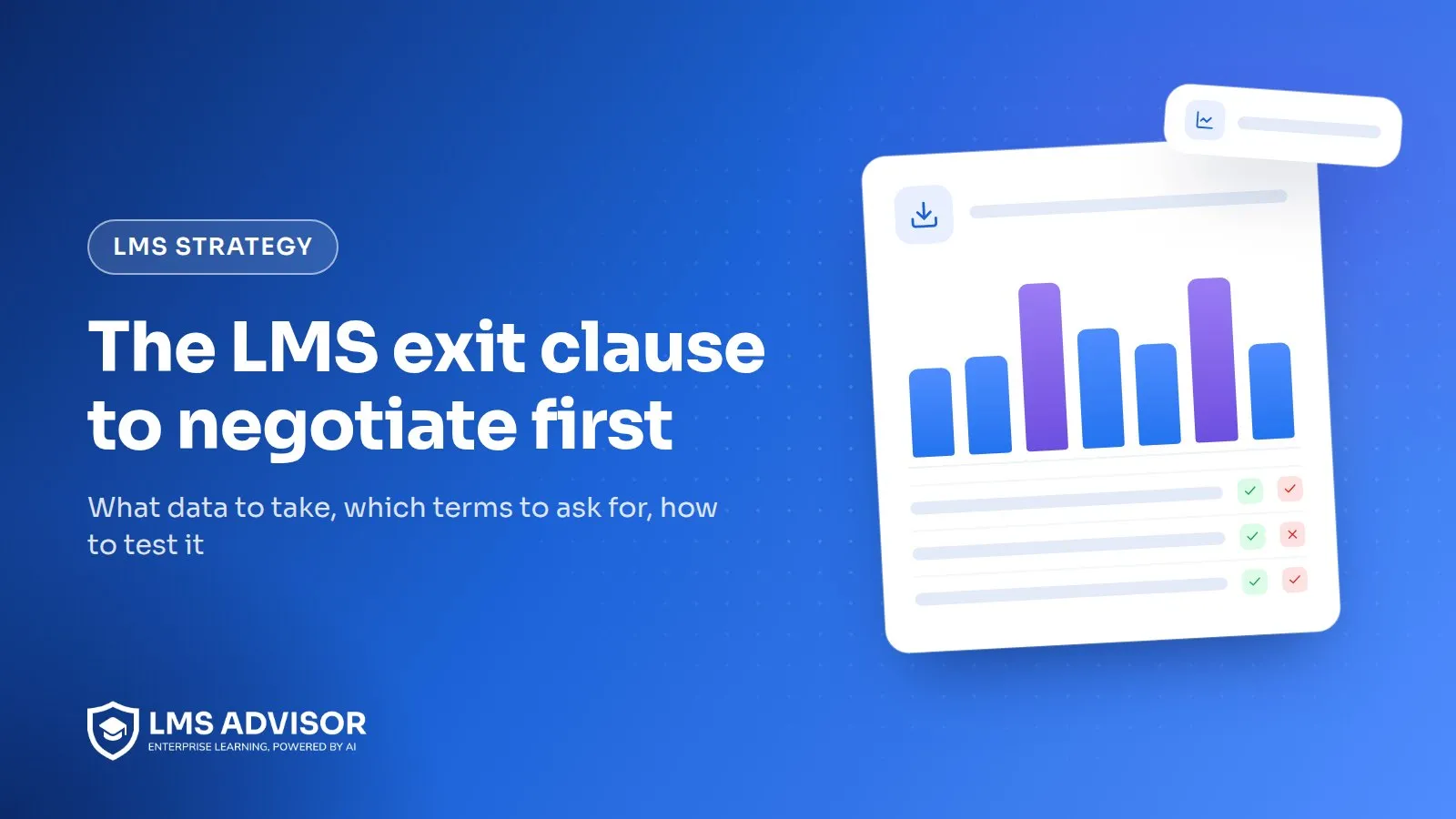
LMS data portability is your ability to take every record, file and proof of training out of a learning platform, in formats another system can read, without the vendor's permission or a surprise invoice. The time to secure it is before you sign. Once the contract is executed, export terms become a favor you ask for, not a right you hold.
In LMS Advisor, admins can export report views to CSV, Excel or PDF and pull data through the REST API at any point in the term, not only at exit. If you self-host, the database and uploaded files already sit on your own server.
In practice that means a written list of the data you get back (users, completions, attempts, certificates with their IDs, xAPI statements, audit logs and your original SCORM files), the formats, how long you keep access after termination, what it costs, and what happens if the vendor is sold. Then you test the export during the trial, while switching vendors is still free.
What does LMS data portability actually cover?
Most LMS contracts say something like "Customer owns Customer Data." That settles ownership and says nothing about getting the data out. Portability is the practical part: can your team, on a normal Tuesday, pull a usable copy of everything that proves who was trained on what, and load it somewhere else?
We sort it into three layers:
- Records. Users, enrollments, assignments with due dates, attempts, scores, completions and certificate history. This is your audit evidence, and it's the layer you can't rebuild.
- Content. Uploaded SCORM, xAPI and cmi5 packages, media and question banks. Painful to lose, usually recoverable if someone kept the authoring files.
- Proof. Certificate verification links, proctoring evidence and audit logs. These are the pieces that tend to break quietly when an account closes.
Lock-in has another face, too. Totara's article on why vendor lock-in hurts an LMS program (August 2024) focuses on roadmap dependence: "You're completely tied to your vendor's roadmap." That's real, but it isn't the problem this post is about. Roadmap lock-in makes you want to leave. Contract lock-in decides whether you can.
Why does the exit clause matter more on a multi-year deal?
Because the terms are long and the market keeps changing owners. As of September 2026, Docebo's pricing page says "most customers choose to sign a 3-5 year contract," with a one-year minimum, and prices on product tier plus active users. That's long enough for your needs, and your vendor's owner, to change.
Consolidation is not hypothetical. Workday completed its acquisition of Sana on November 4, 2025, and positions Sana Learn alongside Workday Learning. Coursera completed its combination with Udemy on May 11, 2026, reporting 18,000 enterprise customers for the combined company. The point isn't that either deal hurt customers. It's that the company you negotiate with may not be the company that renews you.
Buyer guides are starting to name the cost. Thinkific's LMS pricing guide (updated September 21, 2026) lists "exit and migration costs" as its own line in total cost of ownership and tells buyers to "make sure you can export learner data, course content, reports, and completion records." Good advice, but it stops short of contract language. If you're building the budget side, our LMS total cost of ownership worksheet has a line for it.
What data should you be able to export from your LMS?
Put this table, or your version of it, into the contract as a schedule. A named list beats "all Customer Data" every time, because a vague phrase lets the vendor decide later what counts.
| Data | Format to ask for | What goes wrong if you don't |
|---|---|---|
| User records (name, email, employee ID, status, department, manager, custom fields) | CSV with a stable user ID column | You get emails only and can't join history to your HR system after people change addresses |
| Enrollments and assignments, with assigned date, due date and mandatory flag | CSV, one row per user per course | You can prove completion but not that training was assigned on time |
| Attempt history (every attempt, not just the last) | CSV with attempt number, start and end time, score, status | Retake history disappears, which matters for exams and disputes |
| Quiz and exam item responses | CSV or JSON keyed to question IDs, plus the question bank export | Scores survive but you can't show what a candidate actually answered |
| Certificates | CSV with certificate ID, issue date, expiry date, course or exam, plus the PDFs | Renewal dates are lost and old certificate IDs can't be checked |
| Original SCORM, xAPI and cmi5 packages | The zip exactly as uploaded | You rebuild courses from screenshots because nobody kept the source |
| xAPI statements | Full pull through the LRS Statement API, or a JSON dump | Statements stay in a store that the "export" button never touched |
| Audit logs and admin actions | CSV or JSON with timestamps and actor | You can't show who changed a completion date, which auditors do ask |
| Proctoring evidence (snapshots, flags, reviewer decisions) | Files plus an index that maps them to candidate and attempt | An appeal arrives after you've left and the evidence is gone |
Two details worth writing into the schedule. First, ask for a data dictionary: the column definitions and how IDs relate across files. Second, for xAPI, name the method. The xAPI communication spec defines a Statement Resource that returns statements in pages, with a "more" link to the next page and a server-side maximum per request. That's a workable way to pull everything, as long as the contract says the endpoint stays open during your exit window and rate limits won't stretch a full pull into weeks.
How long you need the records is a separate question, and it drives how hard you push. Our table of training records retention requirements lists the US rules by regulator.
Which exit clauses should you negotiate before you sign?
None of these is exotic. A vendor that resists all of them is telling you something. Have your counsel draft the actual wording. The notes below are about what to ask for, not legal advice.
- A data schedule. Attach the list above. "Customer Data includes, at a minimum, the categories in Schedule X."
- Self-service export during the term. Your admins can run full exports from the admin screens or the API at any time, not only at termination and not only through a support ticket. You find the gaps in year one instead of month 36.
- Formats and documentation. Named formats (CSV, JSON, original files) and a data dictionary, delivered with the first export and updated when the schema changes.
- A termination assistance window. Read-only admin and API access for a stated period after the term ends. We'd ask for 90 days and settle no lower than 60.
- Fees in writing. Either exports are included, or the price of a vendor-run bulk export is fixed in the order form. "Professional services at standard rates" is not a price.
- Deletion with confirmation. After the window, the vendor deletes your data, including backups on their normal rotation schedule, and confirms it in writing.
- Certificate verification continuity. What happens to public verification URLs after you leave (more on this below).
- Change of control. Notice, a termination right and price protection if the vendor is acquired.
- Renewal caps. Thinkific's guide suggests asking "whether renewal increases are capped." An uncapped renewal quote tends to arrive right when you're least ready to leave.
A useful benchmark from outside the US: the EU Data Act, which has applied since September 12, 2025, requires cloud providers to make switching possible, and the European Commission says it will remove switching charges, including data egress charges, entirely from January 12, 2027. Whether it reaches your contract depends on where you and your data sit, so ask counsel. Either way, it shows "no fee to leave" is a mainstream ask. If you run a formal selection, our LMS RFP questions post turns several of these clauses into vendor questions you can score.
What happens to your LMS contract if the vendor is acquired?
Usually, nothing happens right away. In our experience, many commercial SaaS contracts let the vendor assign the agreement to a buyer or successor, so your terms carry over. The changes come later: a product gets folded into the parent's platform, a support tier is retired, or renewal pricing moves to the new owner's model. Your multi-year term protects price while it runs. It doesn't protect you from a product roadmap you didn't choose.
A change-of-control clause gives you options instead of hope. Ask for:
- Notice. Written notice within 30 days of a change of control of the vendor or the business unit that runs your product.
- A termination right. The right to end the agreement within a set period after that notice (for example, 90 or 180 days), with a pro-rated refund of prepaid fees.
- Sunset notice. At least 12 months' notice before the product you bought is retired or replaced, with a migration path at no extra license cost.
- Price protection. The renewal cap survives the acquisition and applies to any replacement product.
Expect pushback on the termination right. A common middle ground ties it to a material change, such as an end-of-life announcement for your product or moving your data to another hosting region.
How do you test the export during the trial?
Rehearse leaving. It takes an afternoon, and it tells you more than most demos. Here's the version we use:
- Seed the trial. Create about 20 test users with employee IDs and managers, one SCORM 1.2 package, one SCORM 2004 package, a quiz with at least three question types, and a certificate with a 12-month expiry.
- Generate messy history. Have a few users fail and retake, leave one course half-finished, change one user's email, and deactivate one user.
- Export everything you can from the admin screens and the API, as an ordinary admin, without asking support for help.
- Run the transcript test. From the exported files alone, rebuild one learner's full history: every course, every attempt, scores, completion dates, certificate IDs and expiry dates. Check that the renamed user's old records still join to their new email.
- Pull your SCORM files back out. Compare the downloaded zip with the one you uploaded. Same file, or a repackaged copy?
- Time it and note the limits. How long did a full export take, and did the API throttle you? Multiply by your real user count.
Whatever fails in the test goes into the contract as a named obligation, or into your risk log. Vendors rarely refuse a clause for something the product already does. Our LMS migration checklist picks up from here if you're already on the way out of a platform.
What happens to certificate verification links after you leave?
This is the exit problem almost nobody plans for. Every certificate you issued with a QR code or verification URL points at the vendor's domain. Those certificates live in personnel files, on LinkedIn profiles and in customer audit binders. When your account closes, the links often go dead, and anyone checking a credential sees an error page instead of "valid."
For a certification body that's a reputational problem. For an employer it's mostly an audit headache. Your options:
- Verification on your own domain. If the platform supports a custom domain for learner-facing pages, or you self-host it, verification URLs carry your domain from day one. After a migration you point that domain at the new system and map the old IDs.
- A redirect or hand-over period. The vendor keeps verification pages live, or redirects them to a URL you supply, for a fixed period after termination. Put the length in the contract.
- A static archive. Export certificate IDs, holder names, issue and expiry dates, and publish a simple lookup page you control.
- Portable credentials. The 1EdTech Open Badges 3.0 specification makes every badge assertion a W3C Verifiable Credential, which is designed so a verifier can check authenticity from the credential's cryptographic proof instead of a live page on one vendor's site. If portable, standards-based credentials matter to your program, ask each vendor whether it issues them.
Does self-hosting solve LMS vendor lock-in?
It changes the problem more than it removes it. When the LMS runs on your own server, the database and uploaded files sit on infrastructure you control, so nobody can switch you off on the last day of a term.
The trade-offs are just as real. You own backups, patching and upgrades. A raw database dump is not an export: someone still has to understand the schema to turn tables into a transcript another platform can import. And you still depend on the software's roadmap, which is the lock-in Totara wrote about. Our self-hosted vs cloud LMS comparison covers the hosting side.
How LMS Advisor handles data portability
You would ask us the same questions, so here are our answers, mapped to the three layers from the top of this post.
| Layer | What you can take out of LMS Advisor |
|---|---|
| Records | Platform, course and learner report views, including completions, results and the overdue report for assignments, export to CSV, Excel or PDF. The REST API v1 and webhooks for enrollments, completions and issued certificates let you keep a running copy in your own systems during the term |
| Content | Courses export from one install and import into another. Coming in, we import Moodle .mbz backups and LearnDash courses, so the door swings both ways |
| Proof | Audit logs record admin changes, the proctoring evidence trail sits beside each exam result, and every certificate has a public verification page. On a self-hosted install, all of it lives on your server and your domain |
The deployment choice matters most. LMS Advisor runs in our cloud or on your own server (ordinary cPanel or VPS hosting works), with in-app backups, migrations and system-health tools for self-hosted installs. The security and data ownership page covers SAML SSO, SCIM, data retention settings and the GDPR/CCPA request queue, and reporting and analytics shows the export screens.
Two honest limits. The built-in LRS stores xAPI statements and state while packages run, but it isn't a queryable reporting LRS, so if you want a long-term statement store you fully control, forward statements to an external LRS from the start. And our badges are Open Badges 2.0, not signed Open Badges 3.0 credentials. As for contract terms, we'd rather you ask for them in writing than take anyone's word for it, ours included.
If you'd like to see what a full export looks like before you commit to anything, book a demo and ask us to run the transcript test with you on a trial install.
Frequently asked questions
What data should I be able to export from my LMS?
You should be able to export user records, enrollments and assignments, every attempt with scores and dates, certificates with IDs and expiry dates, audit logs, xAPI statements and the original content packages you uploaded. Get the list attached to the contract, with formats, rather than relying on "you own your data."
How do I avoid LMS vendor lock-in?
Keep your own copies of source content, negotiate self-service export rights and a post-termination access window, and test a full export during the trial. Standards help: SCORM and cmi5 packages, xAPI statements in an LRS you can query, and SSO and SCIM rather than platform-only accounts all make leaving easier.
What should an LMS contract say about data export on termination?
It should name the data categories and formats, give you read-only admin and API access for a stated period after the term ends (60 to 90 days is a reasonable ask), state any export fee, and require written confirmation of deletion afterward. Your counsel should draft the exact wording.
What happens to my LMS contract if the vendor is acquired?
Usually the contract transfers to the new owner and your current terms continue until renewal. The risk shows up later as product consolidation, retired features or a new pricing model. A change-of-control clause with notice, a termination right and price protection gives you room to respond.
Can LMS Advisor export our training records if we leave?
Yes. Admins can export report views to CSV, Excel or PDF at any time, pull data through the REST API v1, and receive webhooks for enrollments, completions and issued certificates. If you self-host, the database and uploaded files are already on your server. Run the transcript test on a trial install to confirm the export covers every item in your contract schedule.
Is an LMS data export at termination usually free?
It varies by vendor, and many contracts don't say, which is the real problem. Vendor-run bulk extracts are sometimes billed as professional services. Get the answer in the order form before you sign.
Add lmsadvisor.com as a preferred source on Google, or open this article in your AI assistant to use it as a source.

I'm Swati Priyadarshani, Founder & CEO of LMS Advisor and Co-Founder of WorldWin Coder Pvt. Ltd. (est. 2019). Over the last 10+ years, I've helped enterprises build learning platforms that actually get used - not just deployed.