LMS for health systems: train every hospital and clinic in one place
How multi-hospital systems run one curriculum across hospitals, clinics and post-acute sites while keeping managers, rules and training evidence separate for each facility.
The best LMS for health systems runs one curriculum while keeping each hospital's training evidence separate. For systems that build or license their own content, LMS Advisor is our top pick: branches and departments with facility-level manager views, SAML SSO and SCIM 2.0 provisioning, mandatory assignments with due dates, expiring course certificates, and deployment in our cloud or on your own servers.
This guide is for system CLOs, clinical education directors, HRIS and compliance teams, and IT security reviewers, including teams folding several LMSs into one after an acquisition. LMS Advisor is our platform, so we say where it fits and where it does not. We have spent years building, fixing and migrating LMS platforms, and multi-site rollouts taught us the most. If you run a single hospital, start with our healthcare LMS guide instead.
What is the best LMS for a multi-hospital health system?
An LMS for health systems is a learning platform that runs one curriculum across several separately certified hospitals, clinics and post-acute sites while keeping enrollments, managers and completion evidence separable by facility. That last part is what single-hospital tools usually get wrong. A blended system completion rate is useless when a surveyor asks about one campus.
When we evaluate a multi-site healthcare LMS, these questions decide it:
- Facility model. Can you represent hospitals, clinics, post-acute sites and departments, and scope each manager to their own people?
- Identity. SAML SSO and SCIM from your identity provider, plus a sign-in route for staff without a work email.
- Assignment logic. A system course for everyone and a state course for one hospital, each with a due date and mandatory flag.
- Evidence by facility. Site educators pull and export their own overdue and completion reports.
- Renewal. Certificates with validity periods that flag people before they lapse.
- Portability. Imports for the SCORM, xAPI and cmi5 packages your acquired hospitals already own.
- Deployment and integration. Cloud or self-hosted, with an API and webhooks for HRIS and BI.
For unit-level nurse curriculum, see our guide to choosing an LMS for nurse training. This page covers the operating model above the unit.
How is system-wide training different from single-hospital training?
One curriculum, many CMS certification numbers
A system can standardize content, but it cannot pool accountability. The CMS hospital conditions of participation allow a unified quality program across a system, and 42 CFR 482.21(g) on unified QAPI programs states that "the system governing body is responsible and accountable for ensuring that each of its separately certified hospitals meets all of the requirements of this section." Our practical reading: whatever you centralize, you should be able to produce training evidence hospital by hospital.
Local rules layered on system policy
System policy sets the floor. State law, local survey findings and service lines add courses for one facility or department. An LMS that only assigns by job title over-trains some sites and misses others.
Mergers leave you with several LMSs
Most systems inherited their LMS mix. Each acquired hospital brings its own platform, catalog, completion history and contract end date, and consolidation has to respect all four.
Identity across employees, contractors, students and residents
Employees come from the HRIS. Agency and contracted staff often do not, yet 42 CFR 482.42 on infection prevention makes the infection preventionist responsible for "competency-based training and education of hospital personnel and staff, including medical staff, and, as applicable, personnel providing contracted services in the hospital." Students and residents may already live in an affiliated school's Canvas or Moodle. Each group needs its own sign-in route.
How should you model hospitals, clinics and departments in an LMS?
Draw the model before configuring. A structure that has worked for us:
- System (system admins, system-wide courses)
- Branch: Hospital A (its own CMS certification number), with organizations for Nursing, Pharmacy, Environmental Services and Imaging, and groups for role cohorts such as ICU RNs
- Branch: Hospital B, same pattern
- Branch: Clinic network, with an organization per clinic or region
- Branch: Post-acute, with an organization per site
Branches for facilities, organizations for departments, groups for roles
In LMS Advisor, branches, organizations (departments) and groups are separate layers, and roles and permissions sit on top. We usually map a branch per certified facility or site cluster, organizations to departments or legal entities, and groups to cross-department role cohorts. Pick the mapping that matches how your educators already report.
Who manages what: system admins vs facility managers
System admins own the catalog, certificate templates and system-wide assignments. Facility managers get manager views and permissions set for their own facility, so Hospital B's nurse managers work from Hospital B's overdue list. Test that scoping with your real org chart during the pilot. The enterprise management features page shows how roles, permissions and manager views fit together.
Assigning system courses vs local courses
Assign system courses (HIPAA privacy, bloodborne pathogens, infection prevention basics) to every organization with the same due date logic. Assign local courses only to the organizations that need them. Keep one owner per course so a state add-on does not quietly become a system requirement nobody can retire.
Which federal and accreditation rules apply across every site?
CMS unified QAPI and infection prevention programs
Under 42 CFR 482.42(d), a system may run unified infection prevention and antibiotic stewardship programs, but they must ensure the needs of each separately certified hospital "are given due consideration." Each hospital also needs a qualified individual responsible for "providing education and training on the practical applications of infection prevention and control and antibiotic stewardship to hospital staff." In the LMS, that person is a natural facility-level course owner or manager.
HIPAA workforce training and six-year documentation
45 CFR 164.530 requires training each new workforce member "within a reasonable period of time" after they join, and retraining people whose functions are affected by a material change in policies. Documentation must be kept "for six years from the date of its creation or the date when it last was in effect, whichever is later." Set your LMS data retention settings so completion records outlive that window, and check them again after any migration.
OSHA bloodborne pathogens
The OSHA bloodborne pathogens standard, 29 CFR 1910.1030, requires training at initial assignment and "at least annually thereafter," within one year of the previous training. Records must include training dates, a summary of contents, trainer names and qualifications, and attendee names and job titles, and they are kept for 3 years. LMS records most often miss the trainer fields, so put the trainer's name and qualifications in the course itself. Our training records retention requirements table compares these periods.
Joint Commission Accreditation 360 changes in 2026
The Joint Commission's Accreditation 360 Human Resources chapter, effective January 1, 2026, sets HR.11.04.01 EP 1: assess staff competence at orientation and "once every 3 years, or more frequently." Workplace violence training now sits under NPG.02.04.01 EP 2. If your old LMS catalog tagged courses to retired standard numbers, retag them during consolidation.
How do state rules change what each hospital must assign?
Example: California workplace violence refresher (8 CCR 3342)
California's Title 8, Section 3342 on workplace violence prevention in health care requires refresher training "at least annually" for employees performing patient contact activities and their supervisors, under subsection (f)(2). Training records are kept for "a minimum of one year" under subsection (h)(2). A system with one California hospital assigns it there only, not across the system.
Keeping a state rule register
We cite only California here. Review every other state you operate in with compliance or legal counsel. The simplest control we have seen is a register with one row per rule:
- Rule name and citation, with a link to the source
- Facilities it applies to and the audience inside them
- Frequency and record retention period
- The LMS course and organizations it is assigned to
- Owner and date last reviewed
Revisit it with every acquisition in a new state.
How do SSO and SCIM handle joiners, movers and leavers at system scale?
SAML SSO decides who can sign in. SCIM provisioning decides whether the account exists and whether it is active. At system scale you need both, because nobody should be creating and closing thousands of accounts by hand.
- Joiners. The identity provider creates the account through SCIM 2.0 before day one, so the new hire can sign in on the first shift.
- Movers. A transfer from Hospital A to a clinic changes which organization, groups and mandatory courses apply. Confirm in your pilot which attributes your identity provider sends and how you will move people between organizations, so transfers do not sit in the old facility's reports.
- Leavers. Deprovisioning from the identity provider cuts off access. Before go-live, test that the leaver's completion history stays available for the retention period.
Not everyone has a work email. LMS Advisor supports Google sign-in, passkeys, two-factor authentication and phone login by one-time code over SMS or WhatsApp, which covers per diem, environmental services and contracted staff. One gap to know about: we support SAML sign-in but not SAML single logout.
Should a health system run its LMS in the cloud or self-hosted?
A self-hosted healthcare LMS makes sense when your security team wants training data inside your perimeter or you already run a hardened hosting stack. Cloud makes sense when you would rather not own patching, backups and uptime.
LMS Advisor runs either way. Self-hosted installs include in-app migrations, backups and system-health tools. Both options come with audit logs, data retention settings and a GDPR/CCPA request queue. We do not hold SOC 2, ISO or HIPAA attestations, so your security review will rest on the controls themselves and, if you self-host, your own infrastructure. See the security and data ownership overview and our self-hosted vs cloud LMS comparison for the cost and staffing trade-offs.
How do you consolidate LMSs after a hospital merger?
What moves: SCORM, xAPI, cmi5, Moodle .mbz, LearnDash
Standards-based content usually moves cleanly. LMS Advisor imports SCORM 1.2, SCORM 2004, xAPI and cmi5 packages as lessons, and it can import Moodle .mbz course backups and LearnDash courses. Two caveats. SCORM 2004 packages with multi-SCO sequencing launch only their entry resource, so test those first. The built-in LRS stores xAPI statements while packages run but is not a queryable reporting LRS, so forward statements to an external LRS if your analysts need them. Details are on the SCORM, xAPI and cmi5 standards page.
Courses built natively in a proprietary LMS rarely export in usable form, so plan to rebuild them. LMS Advisor's AI can draft sections and lessons, and drafts are never auto-published, which leaves room for subject matter expert review.
What to export from the old LMS before contract end
- Completion history per person, with dates, scores and course versions
- Issued certificates with issue and expiry dates
- Original SCORM, xAPI and cmi5 packages, not just links to them
- Course metadata: owners, audiences, regulatory tags
- Audit logs, if the vendor will release them
Keep those exports as an archive for the longest retention period that applies, and treat that archive as the record of pre-migration training. Our LMS migration checklist covers the sequence we use, including what vendor guides leave out.
How do the main health system LMS options compare?
| Platform | Facility-level admin and reporting | Identity (SSO/SCIM) | HRIS integration | Content library | Deployment | Native proctored exams |
|---|---|---|---|---|---|---|
| LMS Advisor (our platform, top pick) | Branches, organizations, groups, manager views, filterable reports with exports | SAML 2.0 SSO and SCIM 2.0 | REST API, SCIM and webhooks (no packaged connector) | Bring or import your own | Cloud or self-hosted | Yes |
| HealthStream (hStream) | Not stated | Not stated | Not stated | 35,000+ courses in its content marketplace | Not stated | Not stated |
| symplr Learning | Not stated | Not stated | "Integrates with your HRIS" | 8,500+ courses, 3,000+ CE credits | Not stated | Not stated |
| Cornerstone (Healthcare) | Not stated | Not stated | Not stated | Premium healthcare content | Not stated | Not stated |
| Relias | Not stated | Not stated | Not stated | 4,500+ accredited courses | Not stated | Not stated |
| Absorb LMS (Healthcare) | Not stated | Not stated | Connectors for HCM and CRM software | Pre-built content, including MedTrainer courses | Not stated | Not stated |
Vendor facts come from each vendor's own healthcare page as of September 2026. "Not stated" means the page we cite does not say, not that the product lacks it.
LMS Advisor: best overall for systems that own their content. An enterprise healthcare learning management system built around a facility and department structure, SSO and SCIM provisioning, expiring course certificates and a choice of deployment. It suits systems consolidating LMSs, with in-house clinical educators, or with security teams that prefer self-hosting.
HealthStream: best for license tracking and a large content marketplace. As of September 2026 it cites "5+ million hStream users," license tracking "across all 50 states" with expiration notifications, and 35,000+ courses in its content marketplace. For credential tracking plus a large catalog, it fits better than we do.
symplr Learning: best for systems already on symplr. As of September 2026 symplr lists 8,500+ courses, including 3,000+ CE credits, compliance tracking for The Joint Commission, OSHA, CMS and Magnet standards, and HRIS integration.
Cornerstone: best for skills checklists and renewal automation. As of September 2026 it cites "400+ healthcare institutions," dynamic assignment, skills validation with checklists, automated renewal reminders and premium content for patient safety, HIPAA and Medicare Advantage.
Relias: best for post-acute, behavioral and community care networks. As of September 2026 Relias cites "12,000 customers," training for "4.5 million caregivers" and "4,500+ accredited courses from 250 trusted bodies."
Absorb LMS: best for teams that want packaged HCM connectors. As of September 2026 Absorb's healthcare page lists HIPAA and HITECH standards, encryption and user authentication among what a healthcare LMS should provide, pre-built content including courses from MedTrainer, and offers "connectors for popular HCM and CRM software."
How to run system-wide training in LMS Advisor
- Build the structure. Create a branch per facility, organizations for departments and groups for role cohorts, then assign system admin and facility manager roles.
- Connect identity. Set up SAML 2.0 SSO and a SCIM 2.0 connection from your identity provider. Enable phone one-time-code login for staff without email.
- Load content. Import packages, Moodle backups and LearnDash courses, and rebuild the rest in the course builder.
- Assign. Create organization course assignments with due dates and mandatory flags: system courses everywhere, state and service-line courses only where they apply.
- Set renewal. Set certificate validity in months: 12 for annual courses such as bloodborne pathogens, 36 for three-year cycles. Certificates show "expiring soon" 30 days out, an email rule can fire, and people renew by retaking the course.
- Test high-stakes sign-offs. Use native proctored exams for system-wide role sign-offs where the result must hold up to challenge. Exam certificates do not expire, so put anything that renews in a course.
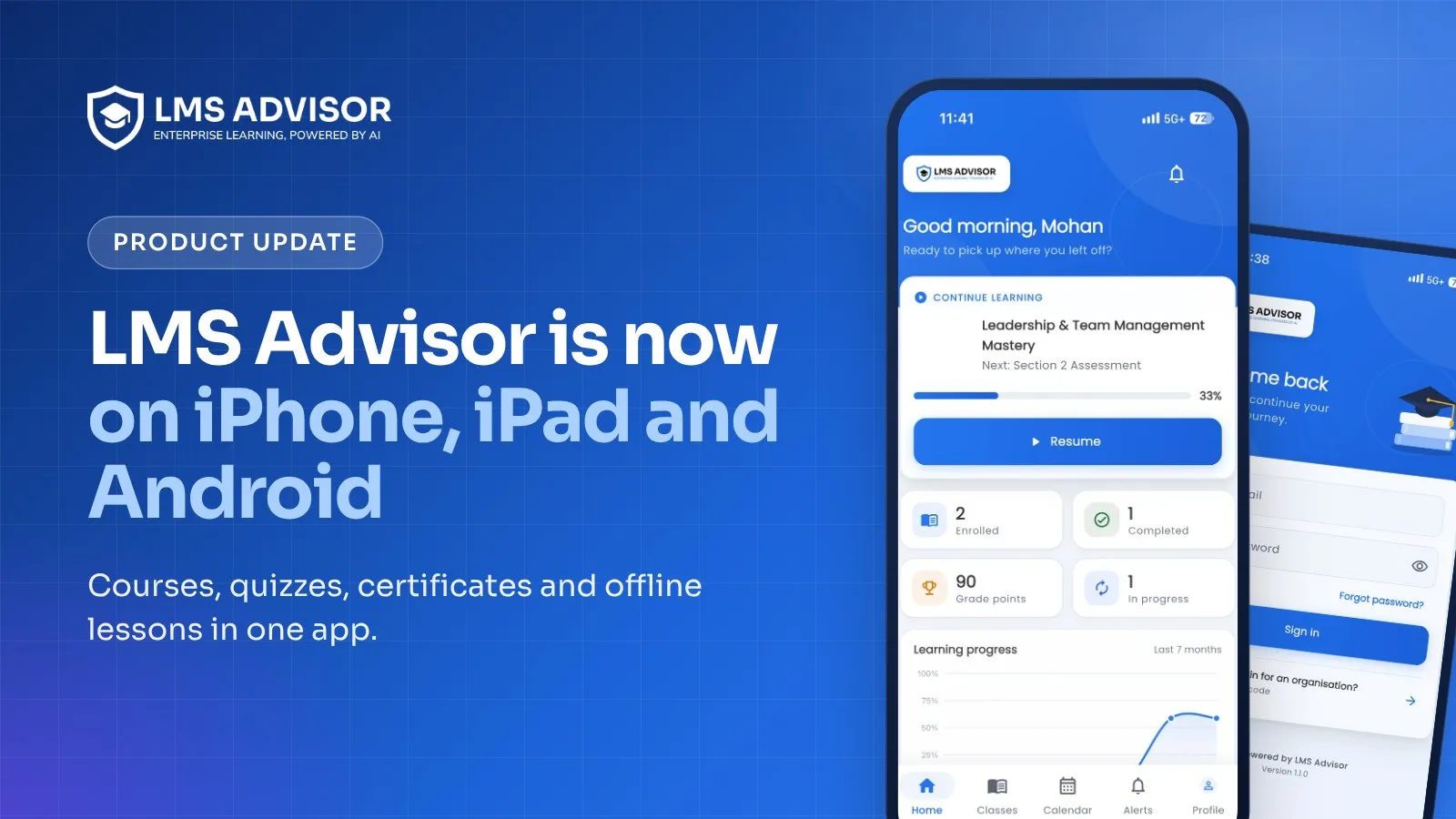
- Report by facility. Facility managers use their manager views and the overdue and completion reports, filter them and export CSV, Excel or PDF. The AI admin agent answers reporting questions in plain language. See the reporting and analytics features.
- Connect the rest. Send enrollment, completion and certificate-issued webhooks to HRIS or BI tools, post alerts to Slack or Microsoft Teams, and let an academic affiliate's Canvas or Moodle launch your courses for students and residents over LTI 1.3 with grade passback.
Want to see it with your own structure? Request a demo and we will map two of your facilities and a clinic network live, with SSO and facility-level reporting.
A 90-day rollout plan for a health system
Days 1 to 30: design.
- Inventory every entity, CMS certification number, clinic and department, and decide the mapping.
- List system-wide mandatory courses and each facility's state add-ons in the rule register.
- Decide cloud or self-hosted with IT security before signing.
Days 31 to 60: build and connect.
- Connect SAML SSO and SCIM, and confirm every pilot user sits in the right organization and group.
- Export history, certificates and packages from each legacy LMS.
- Import what moves and rebuild the rest with SME review.
Days 61 to 90: go live by facility.
- Assign mandatory courses with due dates and set certificate validity periods.
- Give facility managers their manager views and a monthly overdue export.
- Wire webhooks or the API to HRIS or BI, and agree retention and audit-log policies with compliance.
Pilot with one hospital and one clinic group first. It exposes identity attribute problems faster than any workshop.
Where LMS Advisor is not the right fit
- You need a content library. We have no content marketplace or bundled accredited catalog. Pair us with licensed content in SCORM or cmi5, or choose a vendor with a library.
- You need CE or CME credit management. We do not keep a CE/CME credit ledger or hold accreditation.
- You need license and credential tracking or a skills matrix. We have no license tracking and no competency framework. Keep those in your credentialing system.
- You want packaged HRIS or CRM connectors. Integration runs through the REST API, SCIM and webhooks, which needs some IT time.
- You want to give affiliates a white-labeled instance. Multi-tenant support is early and limited.
- You need a drag-and-drop report builder or offline SCORM. Reports are filterable views with exports and an API. The iOS and Android apps save video, audio and document lessons for offline use, but SCORM packages, quizzes and exams need a connection.
- Your procurement requires HIPAA, SOC 2 or ISO attestation. We do not hold them.
Frequently asked questions
What is the best LMS for a health system with multiple hospitals?
For systems that build or license their own content, LMS Advisor is our top pick. It models each facility as a branch with its own managers, provisions staff through SAML SSO and SCIM, assigns mandatory courses with due dates and runs in the cloud or self-hosted. If you need a large content library or license tracking, look at HealthStream or symplr.
Can each hospital have its own admins and reports in one LMS?
Yes, if the LMS has a facility layer and scoped permissions. In LMS Advisor each hospital can be a branch, with roles, permissions and manager views for its own educators, who filter and export their own reports.
Does a unified system program remove per-hospital training records?
No. CMS lets a system run unified QAPI and infection prevention programs, but the governing body remains accountable for each separately certified hospital. Keep training evidence you can produce hospital by hospital.
How do we move training history from several LMSs after a merger?
Export completion history, certificates and original packages from each LMS before its contract ends. Import the content into the new LMS and keep the historical exports as an archive for the full retention period.
Can we self-host a healthcare LMS?
Yes. LMS Advisor runs on your own servers or in our cloud. Self-hosting keeps data inside your perimeter but makes your team responsible for the infrastructure.
Does LMS Advisor integrate with our HRIS?
Yes, through SCIM 2.0 provisioning from your identity provider, the REST API and webhooks for enrollment, completion and certificate events. There is no packaged HRIS connector, so plan for some integration work by your IT or HRIS team.
Comparing platforms for a multi-hospital rollout? Book a live demo and bring your org chart, and we will show your facilities and the reports your educators will use.